Posts

Showing posts with the label Texturing

Cinema 4D Bodypaint Workflow

Image
[ #Cinema4D ] Christoph Schindelar from 3DVisual.at shares you a workflow that use Cinema 4D bodypaint to apply Real Displacement Textures to Any complex object as you like >> See Also: Creating Canyon using Real Displacement Texture Tutorial [post_ads] More Cinema 4D tutorial [post_ads_2]

Orc Warrior - Skin Shading in Arnold/ORC Skin Shader Breakdown

Image
[ #texture #Zbrush #Arnold #Maya #Mudbox, ] Continuing with the sculpt was done in 2016, Rohit Singh came back with his project "Orc Warrior" in body Textures and Shading with Arnold, Used XYZ maps to enhance the details, Mudbox to texture the character and Arnold for rendering. In this Video, he is going to show you the skin shading breakdown inside Maya using Arnold renderer, how he used texture maps in rendering Orc Skin by using Standard Surface shader and so on... >> See Also: Understanding Standard Hair Shader in Arnold for Maya [post_ads] More Arnold tutorial [post_ads_2]

Make custom scans tileable in Quixel Mixer

Image
[ #Texturing ] Learn how to make your custom surface scans fully tileable in just a few simple steps with this Mixer quick tutorial. >> See Also: Quixel annouce new Texturing tool Mixer [post_ads] More Texturing tutorial [post_ads_2]

Creating Leaf Shader from Photography

Image
[ #ArnoldforMaya ] Brent LeBlanc goes over how to create your own material channel passes from photography without the need of buying scans or textures online. He will go through each channel pass and how to compose it all together in Maya using Arnold 5. >> See Also: Arnold Render v5.0 What's new video [post_ads] More Arnold for Maya tutorial [post_ads_2]

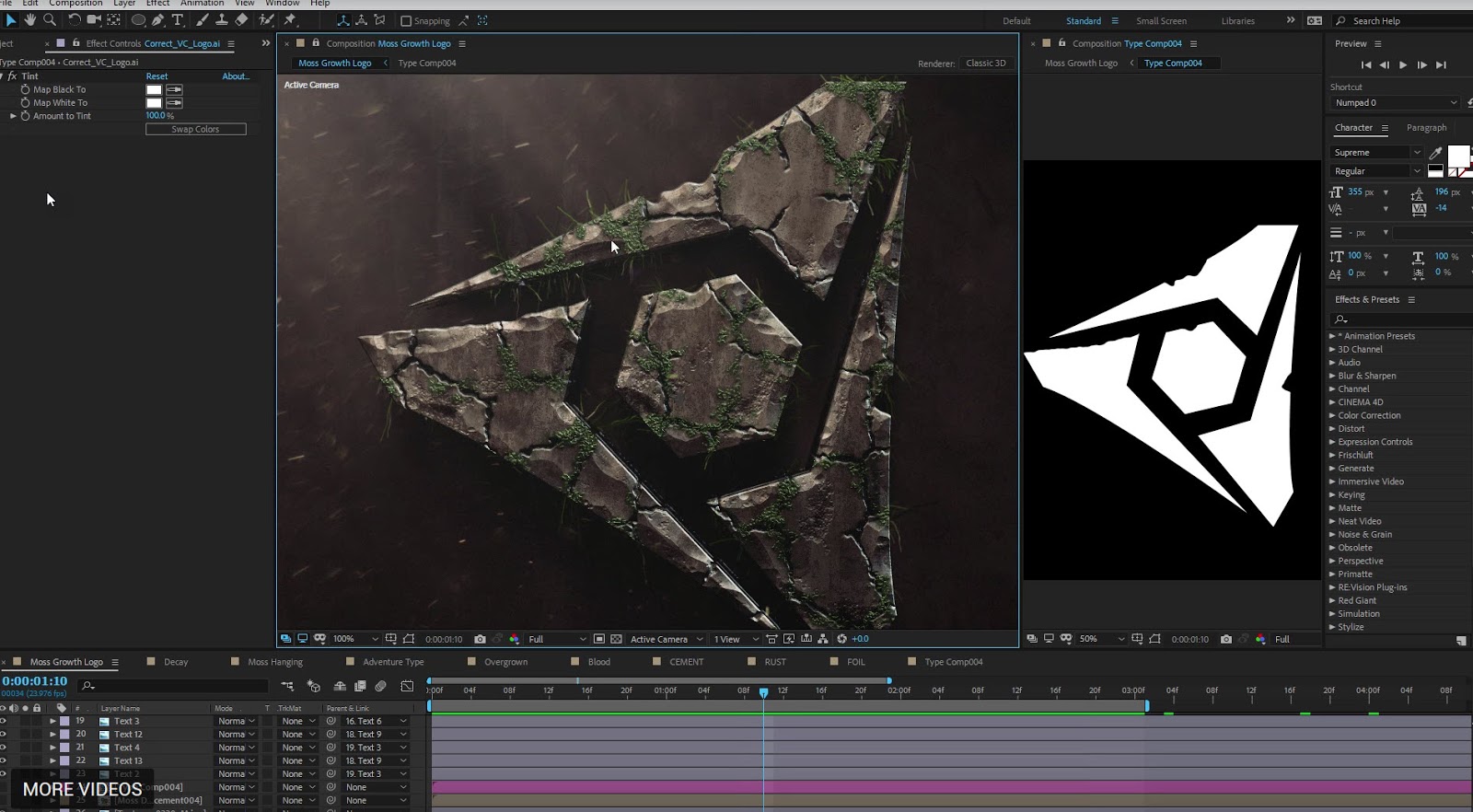
Creating Damage and Decay Effects in After Effects without Plug-ins

Image
[ #AfterEffects ] In this new tutorial from Videocopilot We'll learn how to create a procedural decay system capable of generating realistic rust, moss, cracks, corrosion & more! Like most sequels, Chapter 2 is jammed packed with even more unnecessary FX! Watch now! >> See Also: Stardust 1.1 for After Effects [post_ads] More After Effects tutorial [post_ads_2]

Introduction to Mari

Image
[ #Texturing ] Video tutorial from Flipped Normals covering everything you need to know in order to get started with Mari 4 from the Foundry. Check it out! >> See Also: Foundry Mari 4.0 [post_ads] More Texturing tutorial [post_ads_2]

Substance for 3ds Max tutorial: How to use Substance Plugin

Image
[ #3dsMax ] Lear how to download Substance for 3ds Max and How to use Substance Source inside 3ds Max [post_ads] More Texturing tutorial [post_ads_2]

How to export displacement map from Zbrush to Arnold

Image
[ #Texturing ] Check out the video tutorial from FlippedNormals about workflow of working with displacement maps from ZBrush to Arnold . [post_ads] More Texturing tutorial [post_ads_2]

Simulating a Crushed Can in Blender

Image
[ #Blender #Modeling #Animation #Simulation #Tutorial ] In this tutorial Sardi Pax demonstrates to us two alternative ways of crushing a metal can in Blender as well as a simple technique for applying a decal texture. Also, the second video below by Kenan Proffitt shows another easy method of simulating the crushed can effect by simply making use of a real can and taking images in sequence as it is being crushed. >> See Also: Advanced Sculpting in Blender [post_ads] More Blender tutorial [post_ads_2]

Making of Warrior Dog 641

Image
[ #adskMaya ] Generalist,Lighting 3D Artist Farid Ghanbari has shared Making of Warrior Dog 641 video. Check out to see how he used Autodesk Maya, Substance Painter, V-ray, Photoshop. After Effects to create that stunning artwork >> GET AUTODESK MAYA HERE! Follow Farid Ghanbari: https://www.instagram.com/renderburger/ https://www.artstation.com/farid https://www.fb.com/renderburger/ [post_ads_2]